
A build story tells one project in chapters. Start it once, add a chapter whenever there is progress, and pilots follow along.
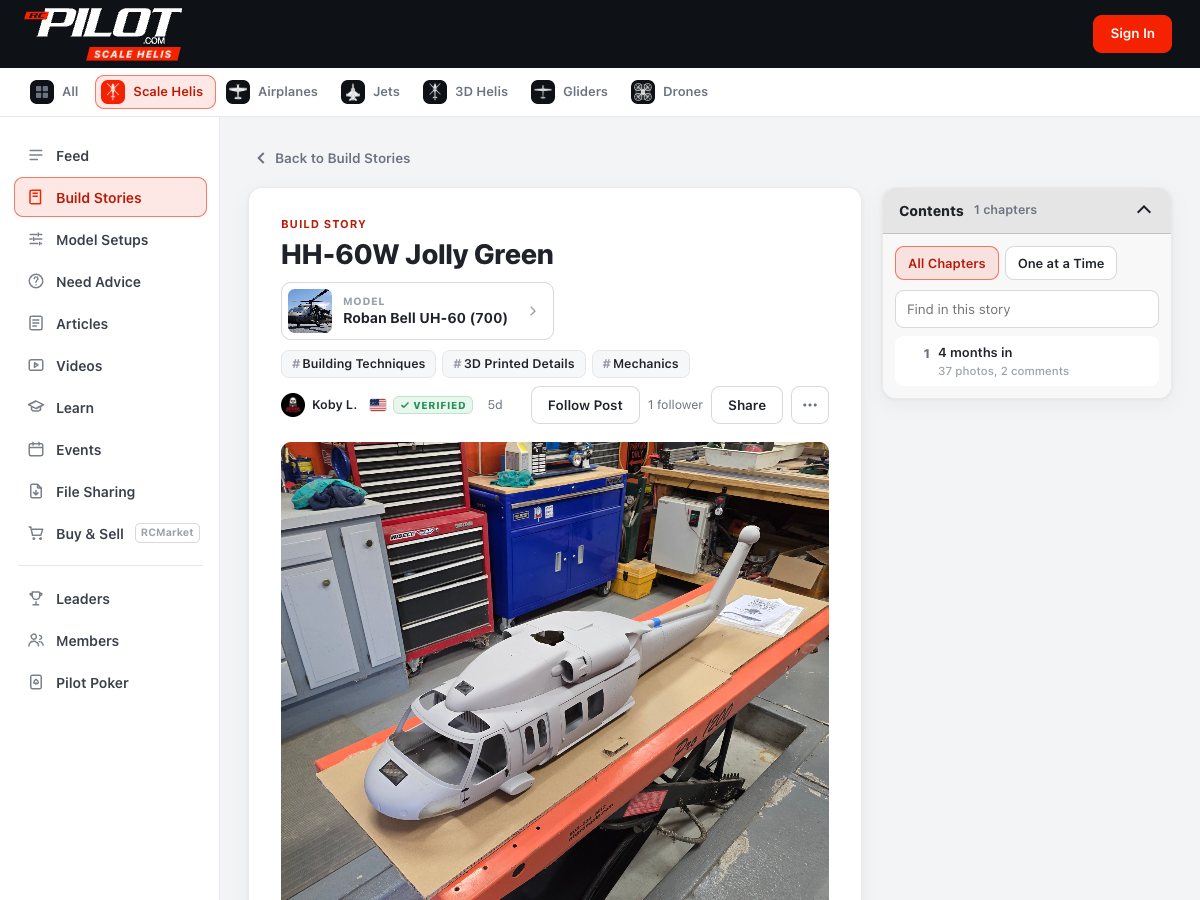
Starting one
Pick the Build Story tile in New Post. Give the story a title, give the first chapter a title ("Out of the box", say), and write chapter one: where the build stands today.
Add photos and videos to it. It is filed like any post.
Adding a chapter
Open your story and tap Add Chapter (it names the next number) after the last chapter, or Add a Chapter in the ... menu. A chapter has a title, words, photos and videos, and is not filed again. Everyone following the story hears about it.
- Posted your progress as a comment by mistake? A long comment of yours, or one with a photo, asks Is This Build Progress? and offers Post as Chapter. An older comment of yours has Make It a Chapter under it.
- A story holds up to 200 chapters, and you can add up to 30 a day.
Reading one
- Contents beside the story lists every chapter with its photo and comment counts. On a phone it folds up at the top.
- All Chapters shows the whole story on one page. One at a Time gives each chapter its own page, with Previous and Next.
- Find in this story searches every chapter's title and words.
- Each chapter has its own reactions and comments: How People Feel About Chapter 3, and Comment on Chapter 3 in All Chapters.
- Follow Post tells you about each new chapter.