
Narrow any list of posts with the search box, a topic, a model or the sort order.
Searching
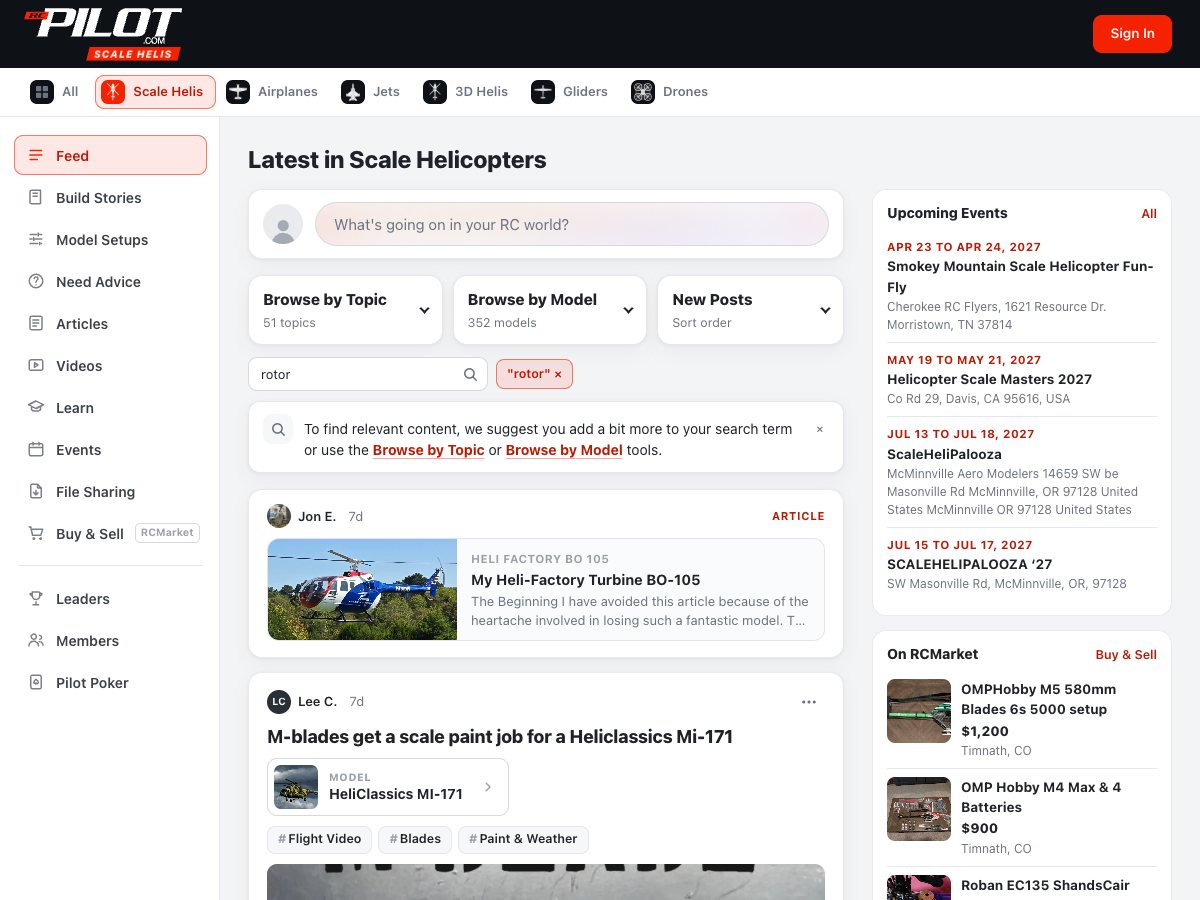
On the first page of a feed, use the search box at the top (Search Scale Helis in that world, Search models, topics and posts in All). Elsewhere it sits above the list: Search posts on the feed, Search questions on Need Advice, and so on. On a phone it is in the bar at the foot of the screen. Type and press Enter.
- Every word you type has to match. A word matches the start of a word in the post, so "bell rot" finds "Bell 230 rotor head".
- A number matches only that whole number: "16" finds 16x8, not 160mAh or 1600mm.
- A model code is one word however it is typed: "F-16", "F16" and "F 16" all find the F-16.
- The search looks in the title, the words, and the names of the post's topics, model and maker.
On the feed, the search also finds the articles and model setups that match. Each one sits in the list as a tile with its picture, marked Article or Model Setup; tap it to open it. Picking a topic leaves setups out, since a setup has no topics.
Search for a single word and a note suggests adding a little more, or using Browse by Topic or Browse by Model. Tap either name in the note to open it.
Your search shows as a chip; tap its X to clear it. Nothing found? Try fewer words.
Sorting
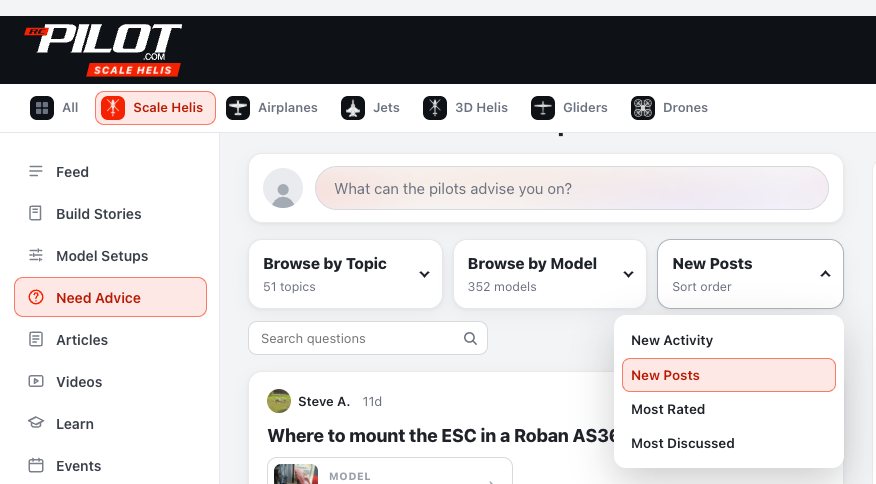
- New Posts: the newest first. This is the usual order.
- New Activity: posts that just got a comment, a new chapter or a poll vote come back to the top.
- Most Rated: the posts the most pilots reacted to.
- Most Discussed: the posts with the most comments.
The sort is the Sort order tile beside Browse by Topic and Browse by Model. On a phone it is a small menu just above the posts.
A list shows 30 posts at a time; Show More brings the next ones, up to 300. To go further back, narrow the list with a topic, a model or a search. A post marked Pinned leads its feed for a while; see Pinning a Post.