
Add the Facebook groups and forums you post in once. After that, every post goes to each of them with one tap.
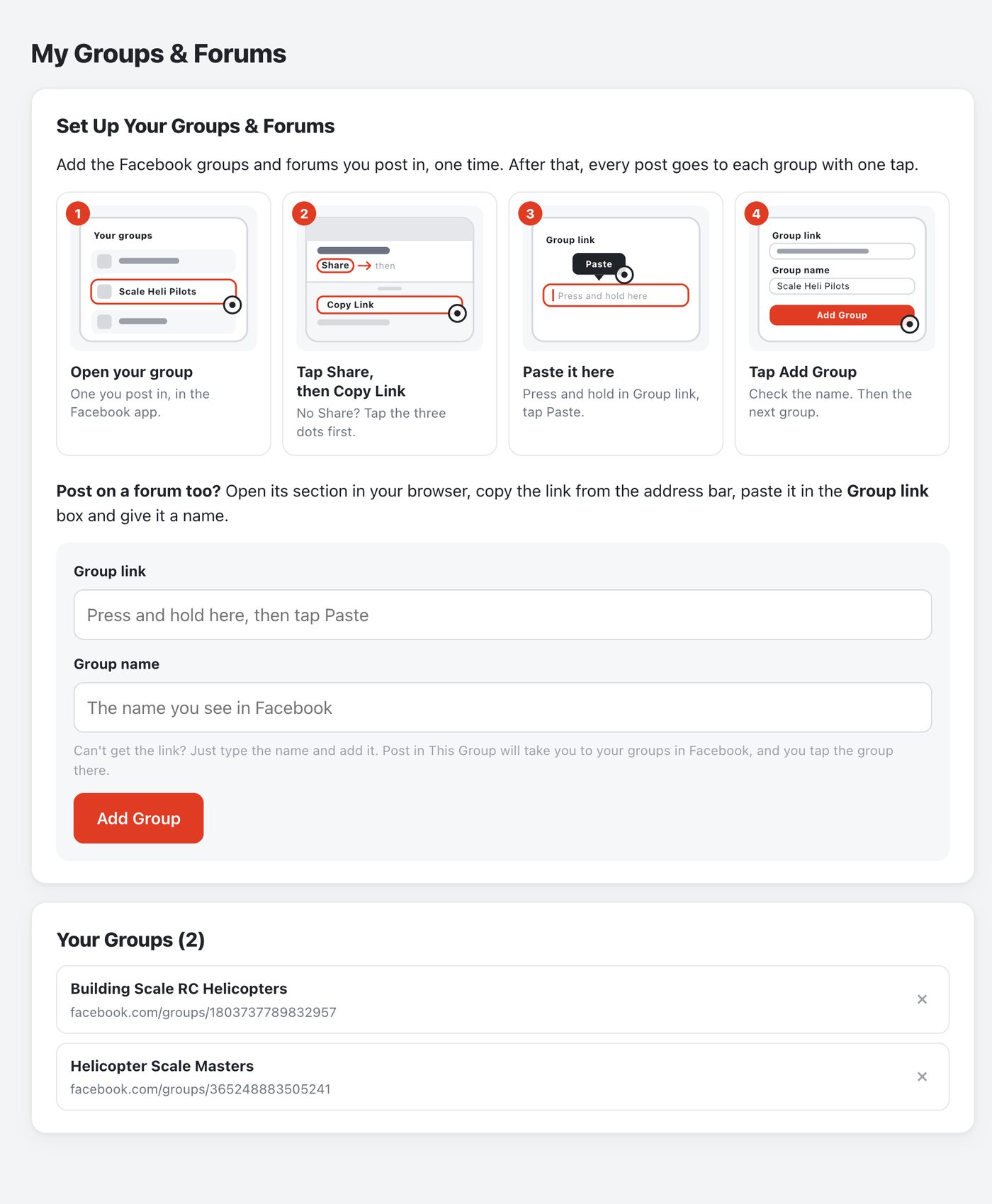
- Open My Groups & Forums in your personal area, under Settings.
- In the Facebook app, open one of your groups, tap Share, then Copy Link. No Share? Tap the three dots first.
- Back on RCPilot, press and hold in Group link and tap Paste. Check the name, then tap Add Group.
- Do the next group the same way.
- A forum: open its section in your browser, copy the address from the address bar, paste it the same way and give it a name.
- Can't get a link? Just type the name. Post in This Group then opens your groups in Facebook and you tap the group there.
- Up to 40 groups and forums. Tap the x beside one to remove it.