
Every post is filed under up to three topics, so you can always pull up the posts about one thing.
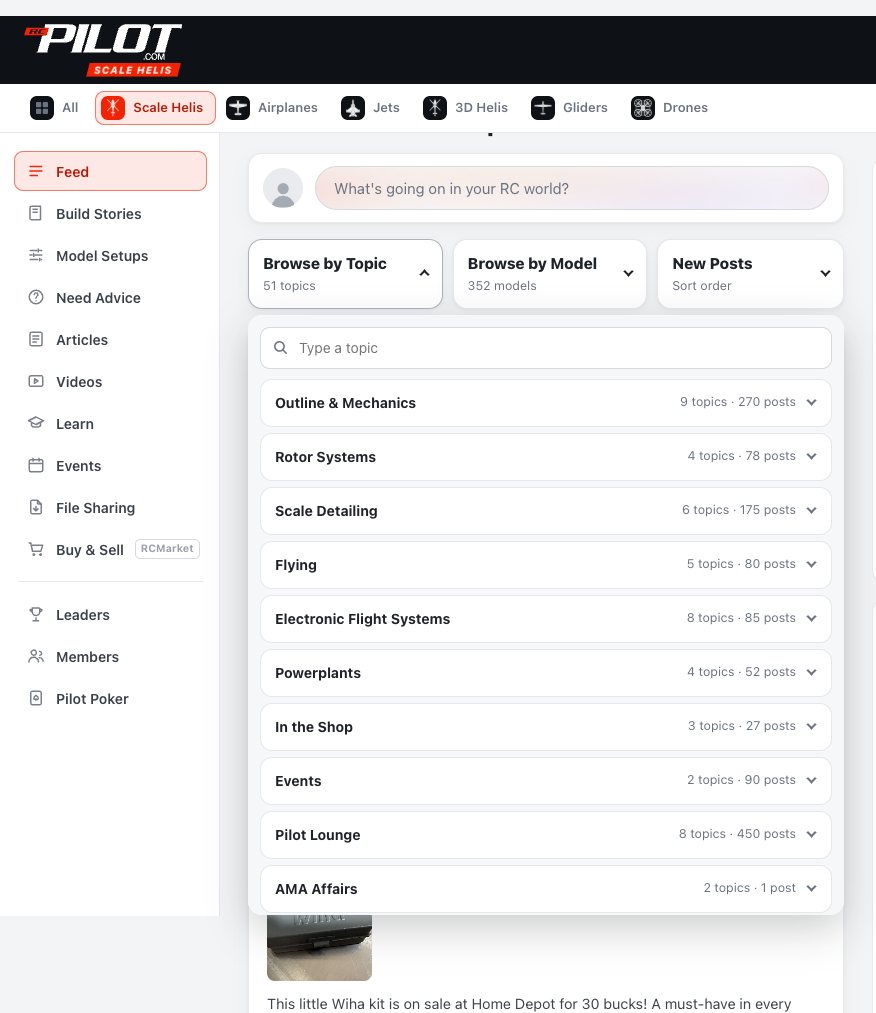
Tap Browse by Topic above the feed. Topics are grouped under sections, such as Rotor Systems or In the Shop, and each shows how many posts it has.
Type in Type a topic to find one by name, or open a section, then tap the topic.
- The list now shows only that topic. The tile shows your pick; tap its X to clear it.
- On a phone, Topics is in the bar at the foot of the screen. Your pick shows above the posts with its X.
- The topic names on any post open that topic's own page, with every post filed there and Follow Posts on ..., which tells you about new posts filed under it. See Following.
- The Dig Into a Topic shelf on a feed's first page offers a few of the busiest topics.